Locations Help

Personal Online Banking Login

Refer A Friend & Earn Up To $500

Business Banking

Login

Mortgage Statements

Login

Credit Card Logins

Go

Wealth - Trust & Investments

Login

Wealth - Raymond James

Login

Wealth - (RPS) Epic Advisor

Login

Log Into Online Banking

After logging in to Online Banking, you can view your eStatements in two ways: 
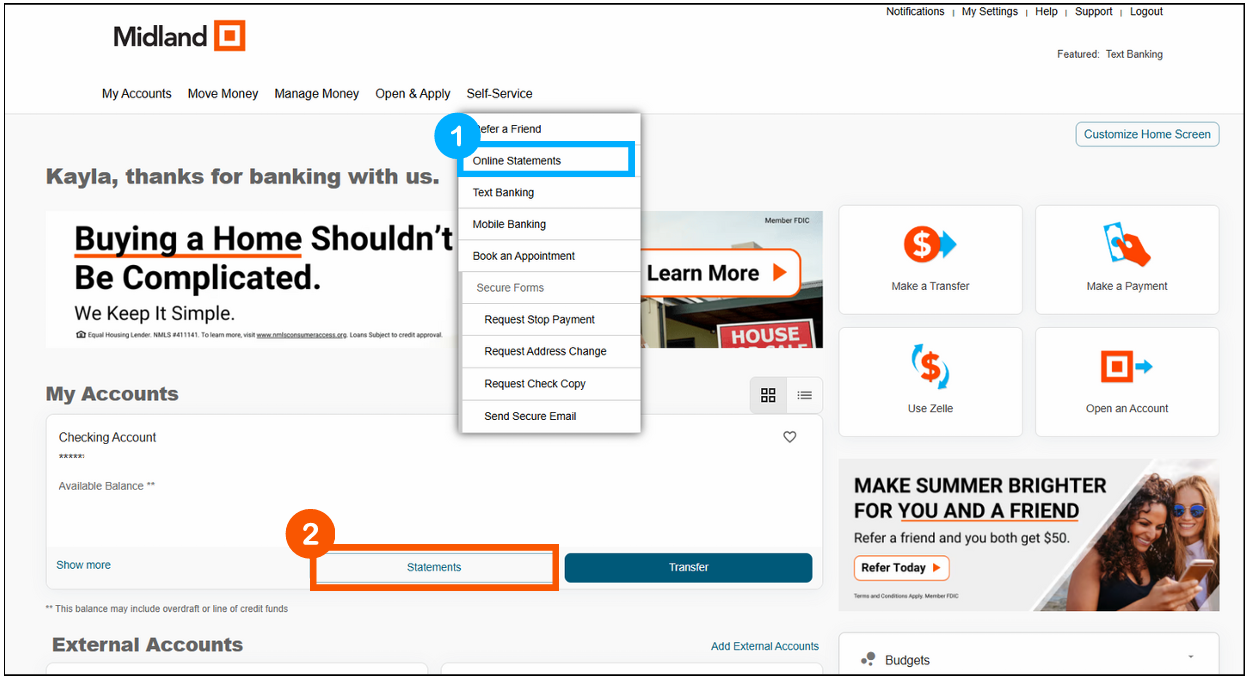
  1. From the Self-Service Menu
    • Select Self-Service > Online Statements 
  2.  From Your Account Card
    • Select Statements 
Enable eStatements through Online Banking

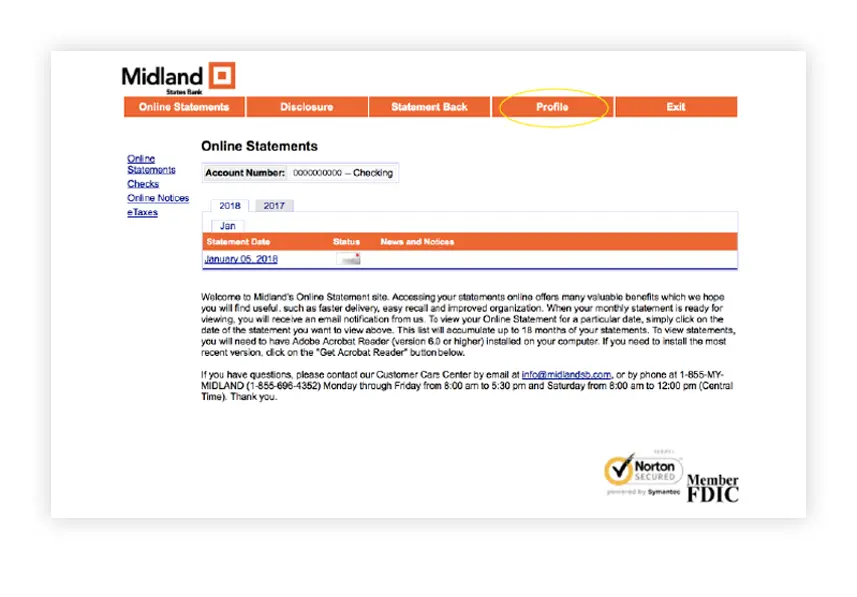
Click on Profile

Screen capture click on profile

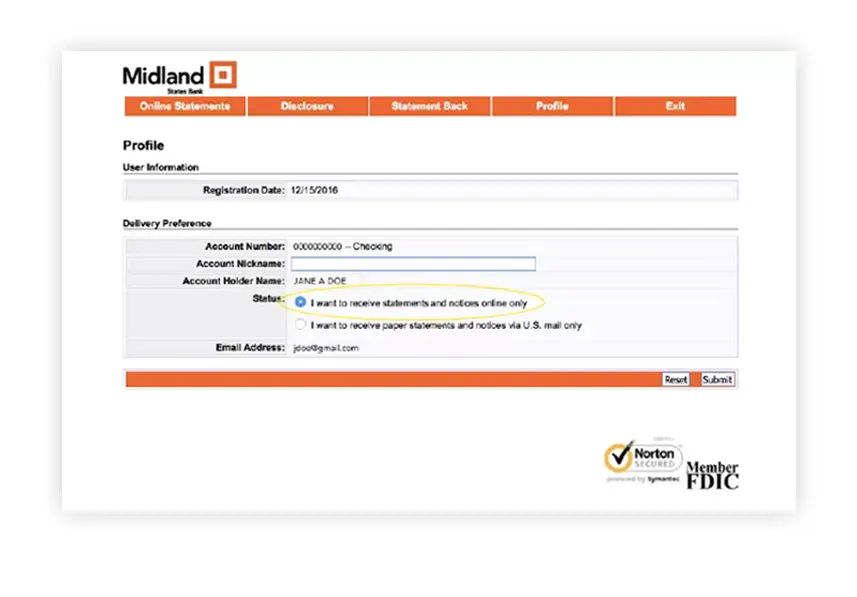
Select “I Want to Receive Paper Statements and Notices Online Only”

Screen capture select “I Want to Receive Paper Statements and Notices Online Only”

Log Into the Mobile App

After logging in, you can view your eStatements by:
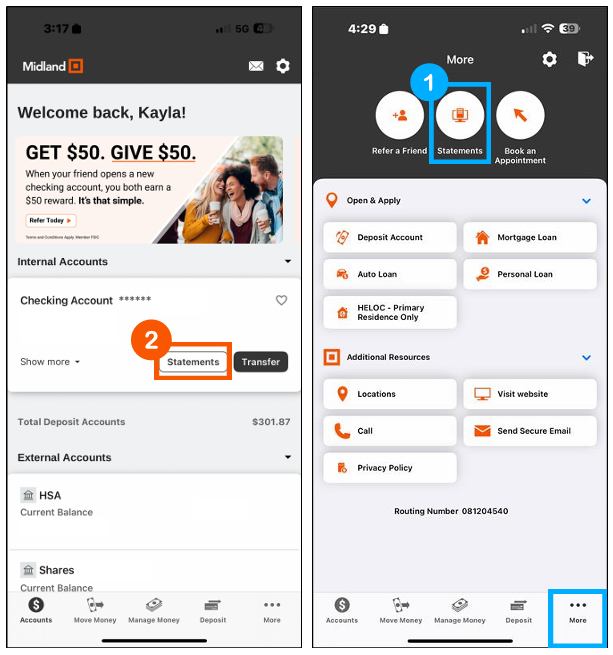
  1. From the More Menu
    • Select More > Statements
  2. From Your Account Card
    • Select Statements
Enable eStatements in the Mobile App

Click on Profile

Screen capture click on profile

Select “I Want to Receive Paper Statements and Notices Online Only”

Screen capture select “I Want to Receive Paper Statements and Notices Online Only”

Prefer Personal Assistance?

Our team of dedicated professionals are here to support you.